API stands for "Application Programming Interface". It is a set of clearly defined methods
of communication with a software component. So the objects and methods exposed by a library
form an API.
In Web development the acronym API is most
commonly used when the software component in question runs on a different server on the
Internet and is accessed via HTTP.
REST and SOAP APIs are fixed interfaces: each api call has a fixed set of
arguments and returns a fixed data structure. All decisions are made when
specifying the API.
GraphQL shifts some decisions to the client: through a Query Language the client
can request data in the specific shape it needs, within the limits that the
API sets.
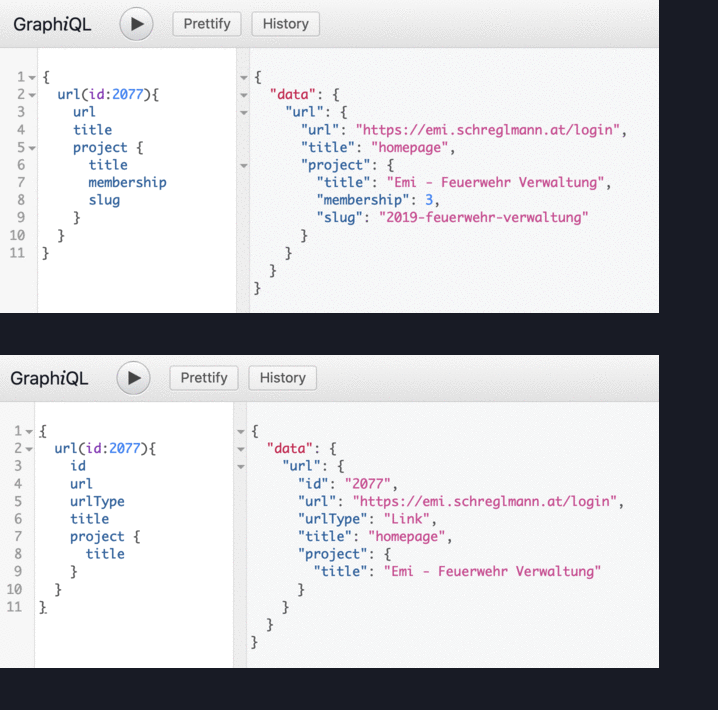
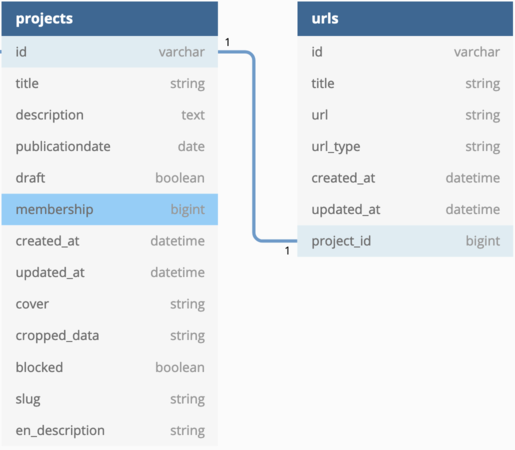
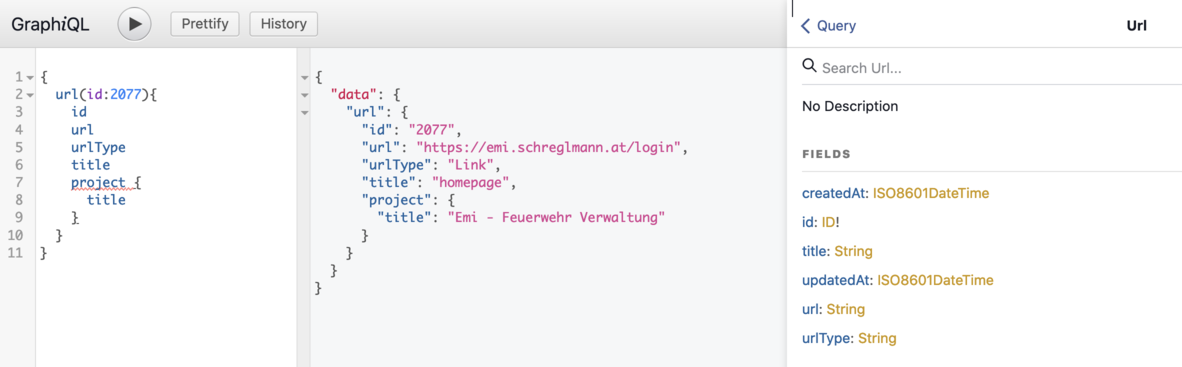
A simple example with two models: a project has many URLs. when querying
through GraphQL you can request different attributes of both models:
Notice how the resulting JSON data mirrors the structure of the query.
The query language is used for both Queries (getting data) and Mutations (changing
data).
A GraphQL API can always be queried to give information
about the possible queries, mutations and types. This is called
introspection.
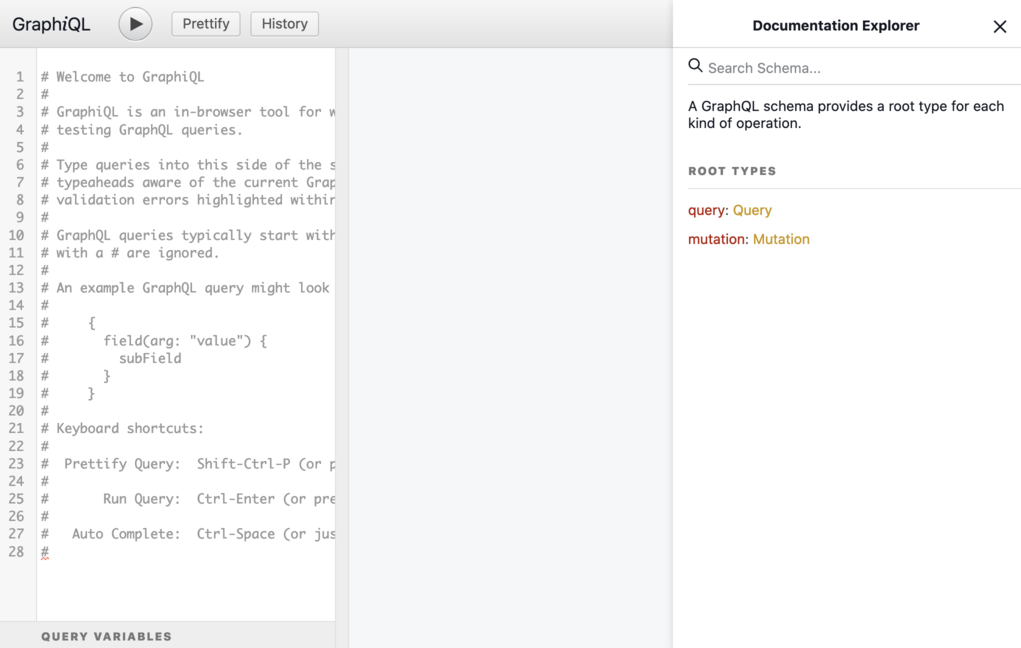
The GraphQL Playground is a Web App that enables you to
make Queries and Mutations. It uses introspection to display
documentation and to offer autocompletion:
A GraphQL delivers JSON, which only has objects, arrays, strings, numbers and null
as types. But GraphQL itself can build a more detailed type system and check
these types in queries and mutations.
After running bundle and restarting the server you can
access the graphql playground at http://localhost:3000/graphiql:
in the left pane you can enter a query, run it, and see the
result in the middle pane. The right pane contains documentation
that was created automatically.
Now we can edit the type to fit our needs, for example
we can remove attributes that should never be public:
module Types
  class ProjectType < Types::BaseObject
    field :id, GraphQL::Types::ID, null: false
    field :title, String, null: false
    field :publicationdate, GraphQL::Types::ISO8601Date, null: false
    field :membership, Int, null: true
    field :created_at, GraphQL::Types::ISO8601DateTime, null: false
    field :updated_at, GraphQL::Types::ISO8601DateTime, null: false
    field :slug, String, null: false
  end
end
The next level up we come to the query. There is already
a dummy Query in app/graphql/types/query_type.rb
module Types
  class QueryType < Types::BaseObject
    # Add root-level fields here.
    # They will be entry points for queries on your schema.

    # TODO: remove me
    field :test_field, String, null: false,
      description: "An example field added by the generator"
    def test_field
      "Hello World!"
    end
  end
end
We can replace this with a query that returns a list of all projects:
module Types
  class QueryType < Types::BaseObject
    field :all_projects, [ProjectType],
      null: false,
      description: "a list of all publicly visible projects"
    def all_projects
      Project.public.all
    end
  end
end
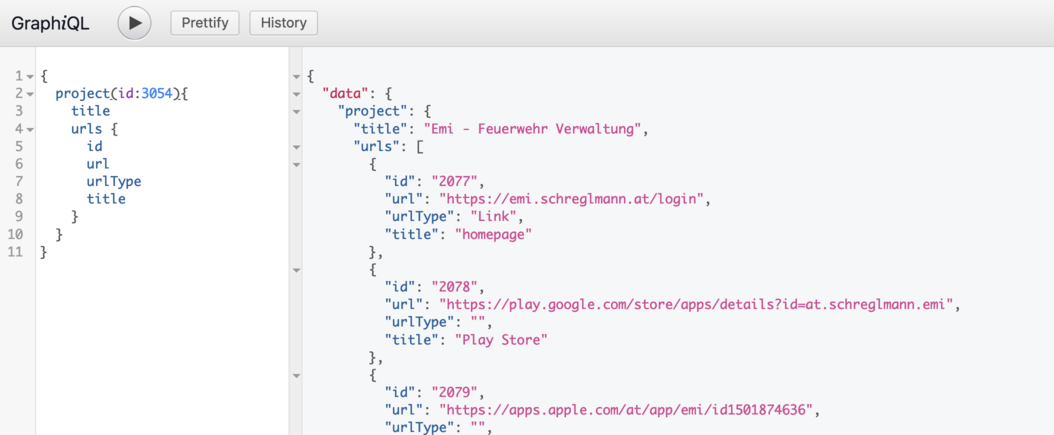
We can now run the query in the playground. Your query will be autocompleted.
generate the UrlType automatically from the model:
module Types
  class UrlType < Types::BaseObject
    field :id, GraphQL::Types::ID, null: false
    field :title, String, null: true
    field :url, String, null: true
    field :url_type, String, null: true
    field :created_at, GraphQL::Types::ISO8601DateTime, null: true
    field :updated_at, GraphQL::Types::ISO8601DateTime, null: true
  end
end
add the field urls to app/graphql/types/project_type.rb:
module Types
  class ProjectType < Types::BaseObject
    field :id, GraphQL::Types::ID, null: false
    field :title, String, null: false
    field :publicationdate, GraphQL::Types::ISO8601Date, null: false
    field :membership, Int, null: true
    field :created_at, GraphQL::Types::ISO8601DateTime, null: false
    field :updated_at, GraphQL::Types::ISO8601DateTime, null: false
    field :slug, String, null: false
    field :urls, [ UrlType ], null: false
  end
end
module Types
  class UrlType < Types::BaseObject
    field :id, GraphQL::Types::ID, null: false
    field :title, String, null: true
    field :url, String, null: true
    field :url_type, String, null: true
    field :created_at, GraphQL::Types::ISO8601DateTime, null: true
    field :updated_at, GraphQL::Types::ISO8601DateTime, null: true
    field :project, ProjectType, null: false
  end
end
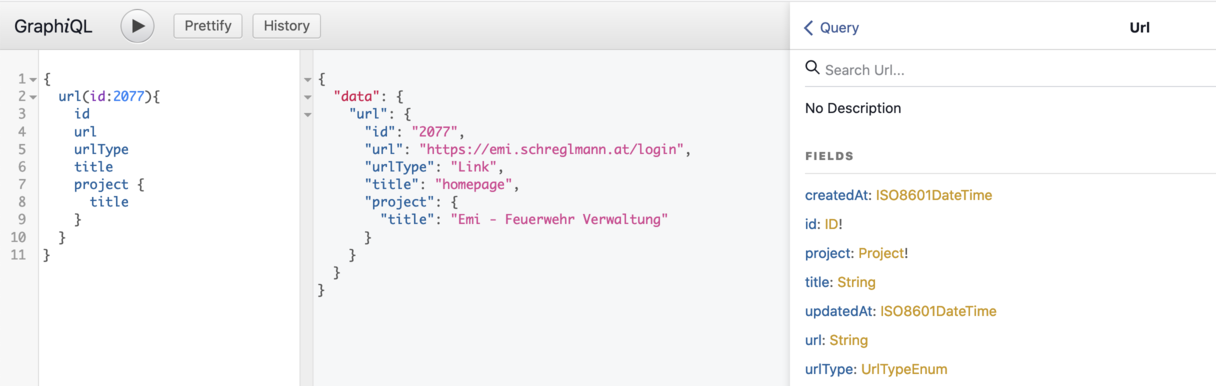
In Ruby and JavaScript we often use Strings to store all
kinds of values. In the example
above, Url.url_type only has three possible values: 'Link','Repository','Award'.
GraphQL comes with an Enum Type that we can use for that
module Types
  class UrlType < Types::BaseObject
    field :id, GraphQL::Types::ID, null: false
    field :title, String, null: true
    field :url, String, null: true
    field :url_type, UrlTypeEnumType, null: true
    field :created_at, GraphQL::Types::ISO8601DateTime, null: true
    field :updated_at, GraphQL::Types::ISO8601DateTime, null: true
    field :project, ProjectType, null: false
  end
end